
Complete Ring Ecosystem Guide: From Doorbells to Security Systems
Smart home technology continues to evolve, making security more accessible and efficient. The Ring ecosystem encompasses various devices designed to enhance home safety, from video doorbells to comprehensive security systems. This guide will explore the complete Ring ecosystem, providing insights into how each component works together to create a seamless home security experience.

Understanding the full range of Ring products is essential for homeowners looking to invest in a secure living environment. Each device offers unique features and functionalities, allowing customization based on individual needs and preferences. This article will break down the various options available, highlighting their benefits and how they interconnect.
By examining the components of the Ring ecosystem, readers can make informed decisions about which devices best suit their security requirements. Whether someone is new to smart home technology or looking to upgrade existing systems, this guide serves as a valuable resource for navigating the choices available in home security.
Understanding the Ring Product Lineup
The Ring product lineup has evolved significantly since its inception, offering various smart home security solutions. Key advancements include doorbell cameras, security cameras, and comprehensive alarm systems designed to enhance home safety and connectivity.
History and Evolution of Ring
Ring was founded in 2013 by Jamie Siminoff, inspired by the need for enhanced home security. In 2014, the company launched its first product, the Ring Video Doorbell, which allowed users to see and communicate with visitors via smartphone.
In 2018, Amazon acquired Ring, leading to increased investment and innovation. This acquisition expanded its reach, allowing integration with Amazon Alexa and enhancing overall functionality.
The product lineup has since diversified, introducing indoor and outdoor cameras, security systems, and smart lighting to address various security needs.
Overview of Ring Devices
Ring offers a range of devices categorized into several types:
Video Doorbells: These allow users to see and interact with visitors remotely. Models include the Ring Video Doorbell and Ring Doorbell Pro, offering features like HD video and two-way audio.
Security Cameras: Ring provides indoor and outdoor cameras, such as the Ring Stick Up Cam and Ring Floodlight Cam, which are equipped with motion detection and night vision.
Alarm Systems: The Ring Alarm system includes a base station, keypad, contact sensors, and motion detectors. It offers customizable security options for comprehensive monitoring.
Smart Lighting: Ring Smart Lighting enhances outdoor security by integrating with other Ring devices and providing motion-activated lighting.
These devices work together within the Ring ecosystem, creating a cohesive user security network.
Setting Up Your Ring Devices
The successful setup of Ring devices involves careful installation, network connection, and security measures. Each step is crucial for optimal performance and safety.
Installation Best Practices
When installing Ring devices, choose appropriate locations. Doorbell cameras should be installed at chest height for the best view. Ensure the devices are within range of Wi-Fi signals.
A drill and mounting tools specifically designed for your device can make the installation easier and more secure. Always check for obstructions like doorbells, shutters, or plants that could block the camera’s view.
Follow the manufacturer's guidelines regarding installation angles. This will optimize the motion detection capabilities and video quality, providing reliable performance.
Connecting to Your Home Network
Connecting Ring devices to a home Wi-Fi network requires the Ring app. Download the app on your smartphone and create an account if this is your first time using it.
Select the device type and follow the on-screen instructions. Scan the QR code on the device or enter the serial number manually. It’s essential to ensure the Wi-Fi network meets the required specifications.
Once the device is connected, conduct a signal test to verify strength. A strong connection enhances device performance and video quality, preventing lag or intermittent recording issues.
Securing Your Devices
The security of Ring devices involves several key steps. First, enable two-factor authentication for an added layer of protection. This feature requires a second form of verification when accessing the account.
Regularly update the Ring app and device firmware. These updates often include security enhancements and new features.
Set up unique passwords that are not easily guessed. Avoid using personal information and consider using a password manager for better security.
Review device settings to configure alerts and notifications. Customizing these settings ensures timely updates about any activity captured by the devices.
Optimizing Ring Doorbell Use
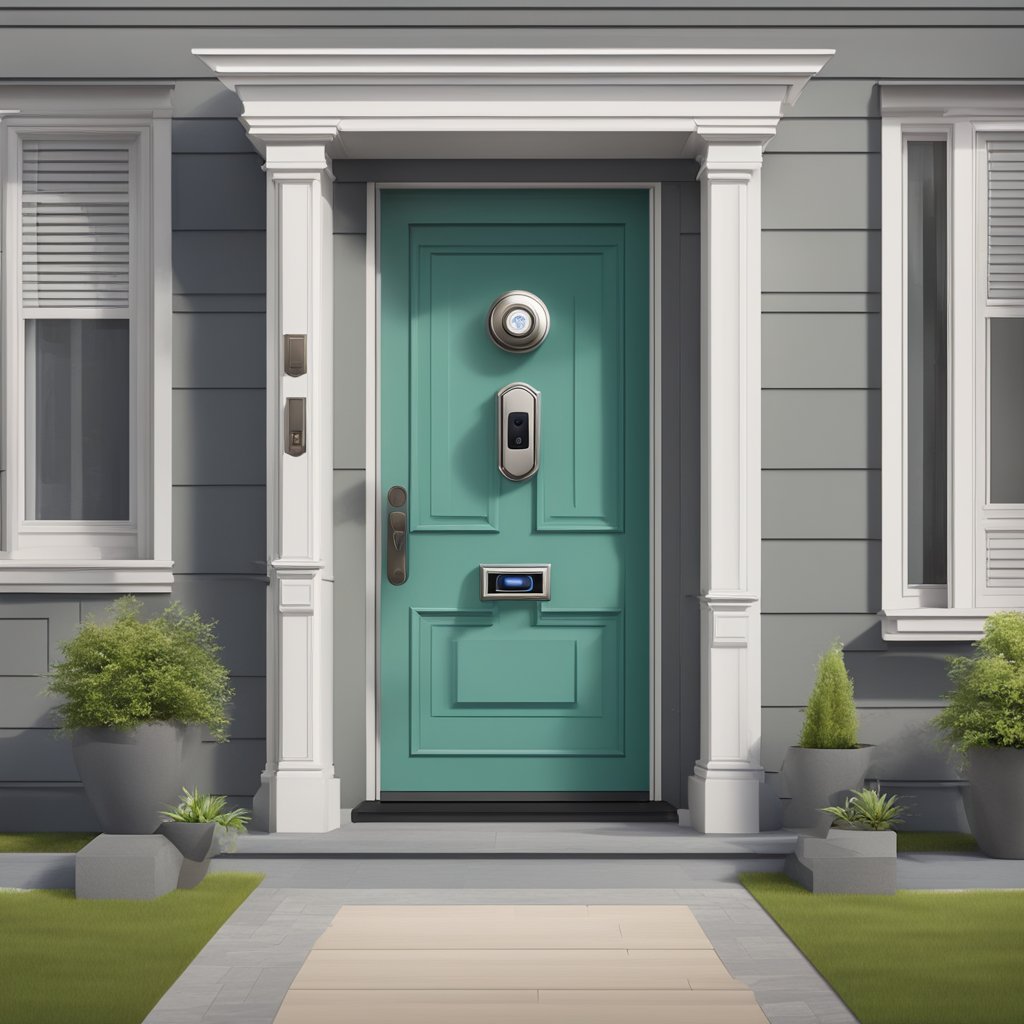
Maximizing the effectiveness of a Ring doorbell involves fine-tuning various settings. The focus should be on customizing notifications, adjusting motion detection, and sharing access with household members.
Customizing Notifications
Users can tailor notifications for their Ring doorbell to prioritize alerts. Notifications can be set to distinguish between people, vehicles, and packages. To do this, access the app and navigate to Device Settings > Notifications.
Options include toggling sound alerts on or off and fine-tuning app notifications. Users can set specific notification tones for different events. This ensures important alerts are not missed while minimizing unnecessary disturbances.
Motion Detection Settings
Motion detection is crucial for security. Users should adjust the motion sensitivity settings to suit their environment. This is done in the app under Device Settings > Motion Settings.
Custom motion zones can be created. This feature allows users to focus on specific areas of interest, reducing alerts from irrelevant movements. Lowering the sensitivity in high-traffic areas can prevent notifications from pets or cars passing by.
Sharing Access with Family Members
Sharing Ring access enhances security without compromising privacy. The primary account holder can invite family members to view live footage and receive alerts. To do this, add their email addresses to Device Settings > Shared Users.
Users can control permissions for each shared account. Options include limiting access to live views only or providing full control. This feature helps families stay connected and aware of home security while maintaining system integrity.
Ring Security Cameras and Systems
Ring offers a comprehensive range of security cameras and systems for various monitoring needs. These products are designed to enhance home security with features tailored for both indoor and outdoor use.
Indoor vs. Outdoor Cameras
Ring security cameras are specifically designed for different environments. Indoor cameras, such as the Ring Indoor Cam, provide high-definition video and two-way audio, making them ideal for monitoring living spaces. They often include features like motion detection and night vision.
Outdoor cameras, like the Ring Stick Up Cam and Ring Floodlight Cam, are built with weather-resistant materials. They are equipped with advanced features, such as motion-activated alerts and enhanced night vision, to monitor spaces around the home. Outdoor models typically incorporate wider fields of view and longer battery life for continuous monitoring.
Integrated Light and Siren Features
Some Ring security cameras have integrated light and siren functions. For example, the Ring Floodlight Cam features bright floodlights that activate when detecting motion, deterring potential intruders.
These cameras often include a built-in siren that can be triggered remotely. This feature adds an extra layer of protection by alerting homeowners and scaring off unwanted visitors. These integrated features streamline security management by combining visual surveillance with proactive deterrents.
Battery, Wired, and Solar Power Options
Ring security cameras are versatile in terms of power supply. Battery-powered models, such as the Ring Stick Up Cam Battery, offer installation flexibility as they do not require complex wiring. They are ideal for locations where outlets are not accessible.
Wired cameras like the Ring Indoor Cam, which is connected to a power source, provide consistent power and often enhance video quality. They are suitable for permanent installations.
Solar-powered options, such as the Ring Spotlight Cam Solar, utilize solar energy to maintain battery life. This environmentally friendly choice benefits outdoor areas where traditional power access may not be feasible. Each power option caters to different installation needs while offering reliable security solutions.
Smart Home Integration
Ring products seamlessly integrate into the smart home ecosystem, providing enhanced security and convenience. The compatibility with various smart home devices enables streamlined functionality, while voice assistance and automation features elevate user experience.
Compatibility with Smart Home Devices
Ring devices work with several popular smart home platforms. Notable integrations include:
- Amazon Alexa
- Google Assistant
- Apple HomeKit (limited to certain products)
Each platform allows users to control their Ring devices through voice commands or mobile apps. This compatibility enhances user convenience by enabling functionalities such as viewing camera feeds or arming security systems with simple voice instructions.
Using Alexa with Ring Products
Integrating Ring devices with Amazon Alexa offers significant advantages. Through Echo devices, users can receive real-time notifications about doorbell events or security system alerts.
Key Alexa commands include:
- "Alexa, show me the front door."
- "Alexa, arm the Ring security system."
This integration facilitates hands-free control, allowing users to manage their home security effortlessly. Additionally, Alexa routines can be set up to execute multiple actions with a single command.
Automations and Routines
Ring devices support various automation setups that enhance home security. Users can create routines tailored to their lifestyle, such as:
- Automate lights to turn on when the Ring Doorbell detects motion.
- Programming the security system to arm itself at specific times.
These automations improve both security and efficiency. Custom routines can be created via the Ring app or linked smart home platforms, allowing users to streamline operations throughout their home.
Subscription Plans and Benefits
Ring offers various subscription plans tailored to enhance the security experience. Users can choose between the Basic and other plans, each with unique advantages. Video storage options and professional monitoring services add further layers of functionality that suit different needs.
Comparing Basic and Plans
The Basic Plan provides essential features, including video recording and notifications for one camera. It costs approximately $3 per month or $30 annually. This plan is ideal for users with a single device who want basic monitoring without additional costs.
The Plus Plan, priced around $10 monthly or $100 annually, includes benefits for multiple devices. Users receive extended warranties, product discounts, and enhanced features such as video sharing and advanced motion alerts. This plan is better suited for households with multiple Ring devices and offers more comprehensive coverage.
Understanding Video Storage Options
Ring's video storage options allow users to retain recorded footage based on their subscription choice. The Basic Plan offers 60 days of video history storage. This enables users to review and access past events easily.
The Plus Plan features a similar 60-day retention period but covers all devices linked to the account. This flexibility helps users keep track of activity across multiple cameras. Users can also download video clips for sharing or record-keeping purposes, ensuring they have access to important footage.
Professional Monitoring Services
Ring provides professional monitoring services through its partnership with Ring Alarm. This service includes 24/7 monitoring for any alarm events, ensuring prompt responses to emergencies.
Professional monitoring is available for a monthly fee, separate from the Basic and plans. When an alarm is triggered, the monitoring center can contact emergency services if necessary. This feature adds a significant level of security for users who desire immediate assistance during incidents.
Maintaining and Troubleshooting
Proper maintenance and troubleshooting of Ring devices enhance their longevity and effectiveness. Regular checks and prompt resolutions to issues can prevent interruptions in service.
Regular Maintenance Tips
Maintaining Ring devices involves simple yet effective practices. Users should regularly clean the camera lenses and doorbell units with a soft, dry cloth. This prevents dirt and smudges from impacting video quality.
Monthly checks on firmware updates ensure the devices operate on the latest software, enhancing security features.
Battery-operated devices require attention to battery life; replacing batteries promptly prevents device failure. Users should also check their Wi-Fi connection to guarantee consistent performance, as a weak signal can disrupt functionality.
Troubleshooting Common Issues
Should users encounter problems, several common issues can often be resolved quickly.
Verifying Wi-Fi strength is essential for connectivity problems. If the signal is weak, repositioning the router or using a Wi-Fi extender may help.
Another common issue is the device failing to record footage. Users should check storage settings to confirm that the device has enough space and isn’t exceeding limits. Restarting the device can also resolve minor glitches.
If alerts do not work, users should review the app's notification settings to ensure they are enabled.
Contacting Support
If troubleshooting does not resolve an issue, contacting Ring support may be necessary. Users can reach out via the official website or app for assistance.
Having the device model and any error codes ready can expedite the support process. Additionally, users should note the steps they have already taken to troubleshoot, as this helps support representatives diagnose the problem more efficiently.
Ring offers various support options, including online chat and phone support, catering to user preferences.
Affiliate Disclaimer: This article contains
affiliate links, meaning I may earn a commission if you click through and make
a purchase at no extra cost.
No comments:
Post a Comment