Friday, March 28, 2025

How AI is Revolutionizing Home Automation in 2025


How AI is Revolutionizing Home Automation in 2025: Trends and Innovations

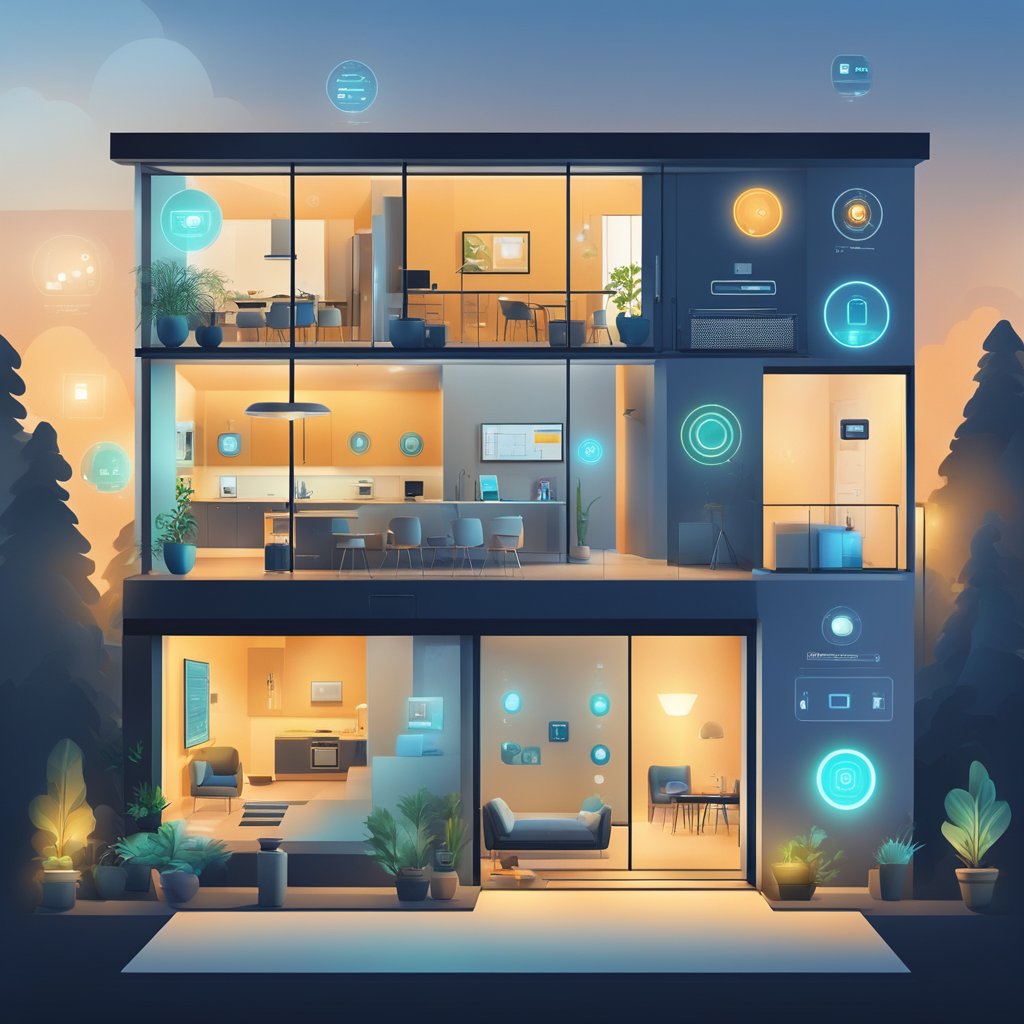
The landscape of home automation is transforming rapidly, largely due to advancements in artificial intelligence. In 2025, AI technology will enable the seamless integration of smart devices, creating a more intuitive and energy-efficient living environment. Homeowners now can control everything from lighting to security systems with surprising ease, enhancing comfort and convenience.
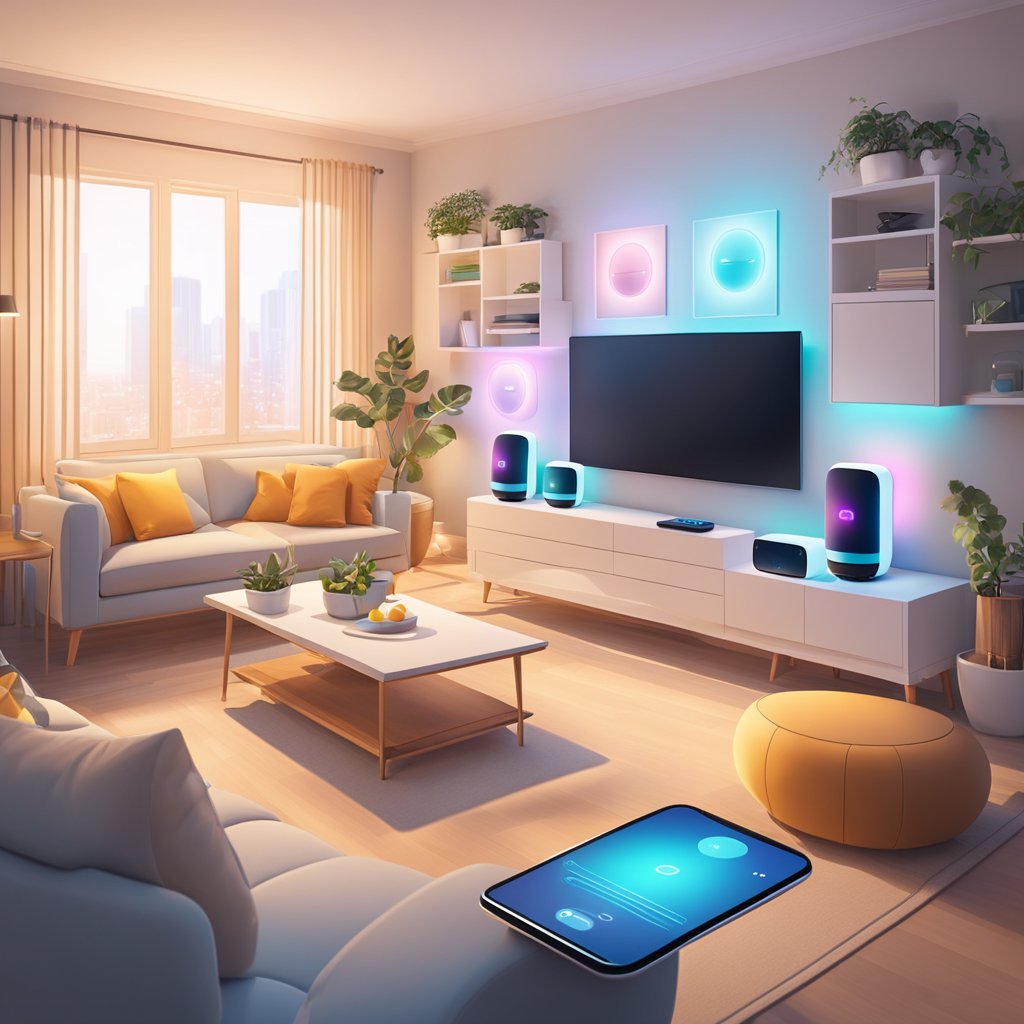
A modern living room with smart devices seamlessly controlled by AI. Lights, thermostat, and entertainment system all respond to voice commands

As AI continues to learn from user preferences and behaviors, automation becomes increasingly tailored to individual needs. Smart homes can now predict occupants' routines, adjusting settings in real time for optimal living conditions. This level of customization not only simplifies daily tasks but also contributes to significant energy savings.

The emergence of voice-activated assistants and smart devices has made interaction with technology more natural and effective. Automated home systems are no longer just functional; they offer a connected experience that improves lifestyle quality. Embracing these innovations allows individuals to unlock the full potential of their living spaces.

The AI Revolution in Home Automation

Artificial intelligence reshapes home automation by enhancing efficiency, convenience, and security. This section explores the key components of smart home AI, its evolution, and the current market scenario.

Defining Smart Home AI

Smart home AI refers to systems that utilize artificial intelligence to automate and control home devices. These systems include smart speakers, thermostats, lights, and security cameras that can learn user preferences and react accordingly.

Using machine learning algorithms, smart home systems analyze patterns to optimize operations. For instance, a smart thermostat can learn when occupants are typically home and adjust heating or cooling accordingly.

Key features include:

  • Voice Control: Allows users to manage devices through voice commands.
  • Remote Access: Enables control via smartphones or computers.
  • Integration: It connects with various smart devices for unified control.

Historical Evolution of Home AI

Home automation has progressed from basic programmable timers to advanced AI-driven systems.

In the early 2000s, simple devices like programmable thermostats were introduced. They provided convenience but lacked intelligence. The next phase featured networked devices that improved connectivity but required manual inputs.

The introduction of AI in the 2010s marked a significant shift. Voice assistants like Amazon Alexa and Google Assistant enable hands-free control and learning capabilities. They interacted with devices to create a seamless experience.

Today’s smart homes incorporate complex algorithms that adapt to user needs, making automation dynamic and intuitive. This evolution has set the foundation for the deeper integration of AI in daily life.

Current Landscape of AI in Home Automation

As of 2025, the home automation market is robust, driven by rapid advancements in AI. Consumers now demand smarter solutions that offer security, energy efficiency, and enhanced lifestyles.

Leading companies like Apple and Samsung are investing heavily in AI technologies. They integrate facial recognition, motion sensing, and predictive analytics into their devices, enhancing usability and ensuring safety.

Market trends indicate a surge in:

The future of home automation will likely emphasize even deeper learning capabilities and greater interoperability among devices, enhancing the user experience.

Technological Advances Driving Change

Innovations in artificial intelligence are significantly enhancing home automation. Key advancements include machine learning algorithms, improved user interfaces through natural language processing, and smarter sensors in IoT devices.

Machine Learning and Predictive Analytics

Machine learning algorithms enable smart systems to learn from user habits and preferences. These systems can anticipate needs based on past behaviors and provide tailored suggestions.

For example, learning thermostats analyze heating patterns to optimize energy consumption.

Similarly, predictive analytics in security systems can identify unusual activities and send alerts to homeowners in real time. This capability increases security while offering peace of mind.

Machine learning also facilitates energy management. By analyzing data from various appliances, systems can instantly suggest efficiency improvements.

Natural Language Processing for User Interfaces

Natural language processing (NLP) improves the interaction between users and their smart devices. Voice-activated assistants leverage NLP to understand commands and execute tasks seamlessly.

This allows users to control lights, adjust temperatures, and manage entertainment systems using simple voice instructions.

Advanced NLP models can comprehend context, making communication more efficient and user-friendly. They adapt to different accents and phrasing, enhancing accessibility for diverse populations.

These interfaces can also learn from user interactions, improving their responsiveness. This leads to a more intuitive experience, making technology less obtrusive.

Advancements in Sensors and IoT Devices

Modern sensors play a crucial role in home automation. Enhanced accuracy and functionality improve data collection across various applications.

Smart sensors monitor environmental factors such as humidity and air quality. This data enables systems to optimize conditions for comfort and health.

Moreover, IoT devices are becoming increasingly interconnected. Devices can communicate and work together, leading to more synchronized automation. For instance, light sensors can automatically adjust indoor lighting based on natural availability.

Energy-efficient appliances with smart sensors can adjust their operations in real time to conserve energy. These advancements create a responsive environment, enhancing user comfort and efficiency.

AI-Powered Home Automation Systems

A sleek, modern living room with AI-powered devices seamlessly controlling lighting, temperature, and entertainment systems

AI-powered home automation systems enhance everyday living through improved energy efficiency, security, comfort, and wellness. Smart technology seamlessly connects devices, creating an integrated and responsive home environment.

Energy Management

AI algorithms optimize energy consumption by analyzing usage patterns. Smart thermostats can adjust heating and cooling based on occupancy and weather forecasts.

Energy management systems provide real-time data on energy use, promoting informed decisions. Users can monitor energy consumption through mobile apps, reducing costs and environmental impact.

These systems often include features such as scheduling and remote access. This allows homeowners to manage devices like lights and appliances from anywhere, ensuring they use energy only when needed.

Security and Surveillance Enhancements

AI enhances home security with smart cameras and alarm systems that learn from real-time data. Facial recognition technology ensures that only known individuals can gain access.

These systems can alert homeowners about unusual activities. Automated locking mechanisms can engage or disengage based on the homeowner's location.

In addition, surveillance feeds can be accessed anytime via mobile devices. This ensures constant monitoring, allowing homeowners to maintain peace of mind about their property and loved ones.

Appliance and Entertainment Control

Smart appliances connected to AI systems streamline daily tasks. Refrigerators can track inventory and suggest recipes based on available items.

Home entertainment systems leverage AI for personalized recommendations. They analyze viewing habits to curate content, saving users time in searching.

Voice-activated assistants further enhance control. Users can manage lighting, climate, and entertainment systems using simple voice commands, fostering a hands-free experience.

Health Monitoring and Wellness

AI-driven health monitoring systems track well-being in real time. Wearable devices connected to home systems can relay data on heart rate, sleep patterns, and physical activity.

Smart home devices can adjust environments to support wellness. For instance, lighting can shift to promote relaxation or alertness, depending on the time of day.

These systems can also notify users about necessary health-related actions. For example, medication reminders or alerts for irregular health metrics foster a proactive approach to personal health management.

User Experience and Interface Design

In 2025, home automation's user experience and interface design highlight personalization and accessibility. These elements ensure that users find systems intuitive and inclusive, accommodating diverse needs and preferences.

Personalization and Adaptability

Personalization allows users to tailor their home automation systems to fit their lifestyles. Advanced AI algorithms analyze usage patterns, habits, and preferences to create custom experiences.

For instance:

  • Voice Control: The system can adapt to individual speech patterns and preferences.
  • Customized Notifications: Alerts can be tailored based on urgency or user preference.

Adaptability extends beyond initial setup. Systems can learn from user interactions and become more efficient over time. This includes adjusting lighting, temperature, and security settings based on the time of day or user activities.

Accessibility and Inclusivity in Design

Designing for accessibility ensures that home automation systems cater to individuals with varied abilities. Inclusive design principles consider users with physical disabilities, visual impairments, or cognitive challenges.

Key features include:

  • Voice Activation: Speech recognition empowers those who find traditional interfaces challenging.
  • Visual Aids: Clear icons and text-to-speech help users navigate effectively.

Systems can accommodate different visual needs by integrating adjustable font sizes and high-contrast themes. Inclusive design benefits users with disabilities and enhances usability for the entire household. Through thoughtful design, technology becomes approachable for everyone.

Impact on Lifestyle and Behavior

The integration of AI into home automation significantly alters individual lifestyles and behaviors. Through enhanced efficiency, sustainable practices, and important considerations around privacy, individuals experience a notable shift in their daily routines and interactions.

Household Efficiency and Convenience

AI-driven home automation optimizes household tasks, leading to increased efficiency. Smart appliances can learn user preferences and adjust settings automatically, streamlining daily chores.

For example, a smart thermostat can learn when residents are usually home and adjust temperatures accordingly, saving energy. Voice-activated assistants enable hands-free control of appliances, security systems, and lighting.

This convenience reduces the time and effort needed for mundane tasks, allowing individuals to focus on more meaningful activities. Notifications and alerts from smart devices can help manage schedules effectively, improving overall household organization.

Sustainable Living and Energy Conservation

AI technologies contribute significantly to sustainable living practices. Smart systems evaluate energy usage patterns and suggest optimal consumption rates.

For instance, AI can manage lighting and climate control to reduce energy waste during peak hours. Homeowners receive insights into their energy usage, prompting them to make informed decisions about consumption.

The integration of AI with renewable energy sources, such as solar panels, allows for real-time adjustments based on sunlight exposure. This synergy promotes environmentally friendly practices while lowering utility costs.

Privacy and Ethical Considerations

The rise of AI in home automation raises privacy and ethical concerns. Smart devices continuously collect data to learn user preferences, which can lead to potential misuse.

Concerns about data security are prevalent, as hackers may target connected devices for unauthorized access. Owners must understand the implications of sharing their data with AI systems.

Additionally, ethical considerations arise around AI-governed decision-making processes. Ensuring that algorithms operate transparently and are free from bias is crucial for maintaining trust in these technologies.

Awareness of these issues encourages users to adopt robust security measures while enjoying the benefits of AI-enhanced living.

Industry Implications and Market Trends

The rise of AI-driven home automation is reshaping the industry, leading to significant economic changes and growth in various sectors. Innovations are emerging that promise to enhance user experience and efficiency in home management.

Economic Impact of AI-Driven Automation

AI-driven automation is contributing to a noteworthy economic shift. The global smart home market is projected to grow from approximately $80 billion in 2023 to around $200 billion by 2025.

This growth is fueled by technological advancements, which result in lower production costs and increased accessibility for consumers. Additionally, integrating AI boosts energy efficiency, leading to substantial savings on household utility bills.

Job creation in the tech sector is also critical as more companies emerge to develop and support smart home technologies. This trend showcases how AI can drive economic benefits across multiple layers of society.

Growth Sectors within Home Automation

Several sectors are experiencing rapid growth due to AI advancements. Key sectors include:

  • Home Security Systems: AI enhances surveillance and detection systems, providing real-time monitoring and alerts.
  • Energy Management: Smart thermostats and energy-efficient devices optimize home energy consumption.
  • Smart Appliances: Integrating AI into kitchen and household appliances streamlines daily tasks and improves convenience.
  • Healthcare Solutions: Remote monitoring and AI-powered health applications allow for better home health care management.

These sectors exhibit strong demand as consumers increasingly seek convenience and safety, altering the traditional home automation landscape.

Innovation and Future Prospects

The future of home automation is dynamic, with innovations on the horizon. Integrating machine learning enables systems to adapt to user preferences over time, enhancing personalization.

Companies are also exploring interoperability among smart home devices to create a seamless user experience. This interconnectedness is expected to attract more consumers, fostering further innovation.

Additionally, AI's role in predictive analytics may revolutionize how homeowners manage their environments, anticipating needs and proactively automating processes. These advancements indicate a promising trajectory for the home automation industry, shaping market strategies and consumer expectations.

Challenges and Limitations

As AI technology advances in home automation, several challenges and limitations arise. Addressing these issues is crucial for ensuring reliability, usability, and security in smart homes.

Technical Hurdles

Implementing AI in home automation involves overcoming various technical hurdles. These include the need for robust hardware capable of running complex algorithms and sufficient internet bandwidth. Many devices require continuous updates and maintenance, which can complicate user experience.

Latency can also be a concern. To provide seamless interactions, real-time processing of AI commands must occur swiftly. Any delay can frustrate users and diminish the functionality of automated systems.

Additionally, the accuracy of AI systems heavily relies on high-quality data. Poor data can lead to inaccurate predictions and actions, undermining the effectiveness of automation.

Security Risks and Vulnerabilities

Due to their connectivity and reliance on cloud services, home automation systems face significant security risks. Unauthorized access or hacking can compromise privacy, putting personal data at risk.

Devices often communicate over networks that may be susceptible to interception. Ensuring secure communications through encryption becomes vital. Regular software updates are essential to patch vulnerabilities and protect against emerging threats.

User behavior also plays a role in security. Weak passwords or neglecting device maintenance can expose systems to risks. Education about security practices is crucial for homes adopting these technologies.

Interoperability and Compatibility Issues

Interoperability is another challenge impacting home automation. Various manufacturers create devices with different communication protocols, making it difficult to work together seamlessly.

Compatibility issues can frustrate users who expect a cohesive system. Some devices may only operate well within their brand ecosystem, limiting consumers' choices.

Standardization of protocols could help mitigate this issue, but slow industry adoption complicates progress. As users seek convenience, having a unified experience across devices will remain a significant hurdle for the industry.

Disclosure: This article contains affiliate links, meaning I may earn a commission if you click through and purchase. This helps me continue to share valuable content with you.


How AI is Revolutionizing Home Automation in 2025

Monday, March 24, 2025

50 Creative Ways to Use Alexa in Your Smart Home Setup


50 Creative Ways to Use Alexa in Your Smart Home Setup for Enhanced Living


Alexa has transformed how people interact with their homes, making everyday tasks simpler and more efficient. This blog post showcases 50 creative ways to maximize the use of Alexa in a smart home setup. The possibilities are extensive, from controlling lighting and temperature to managing household chores.

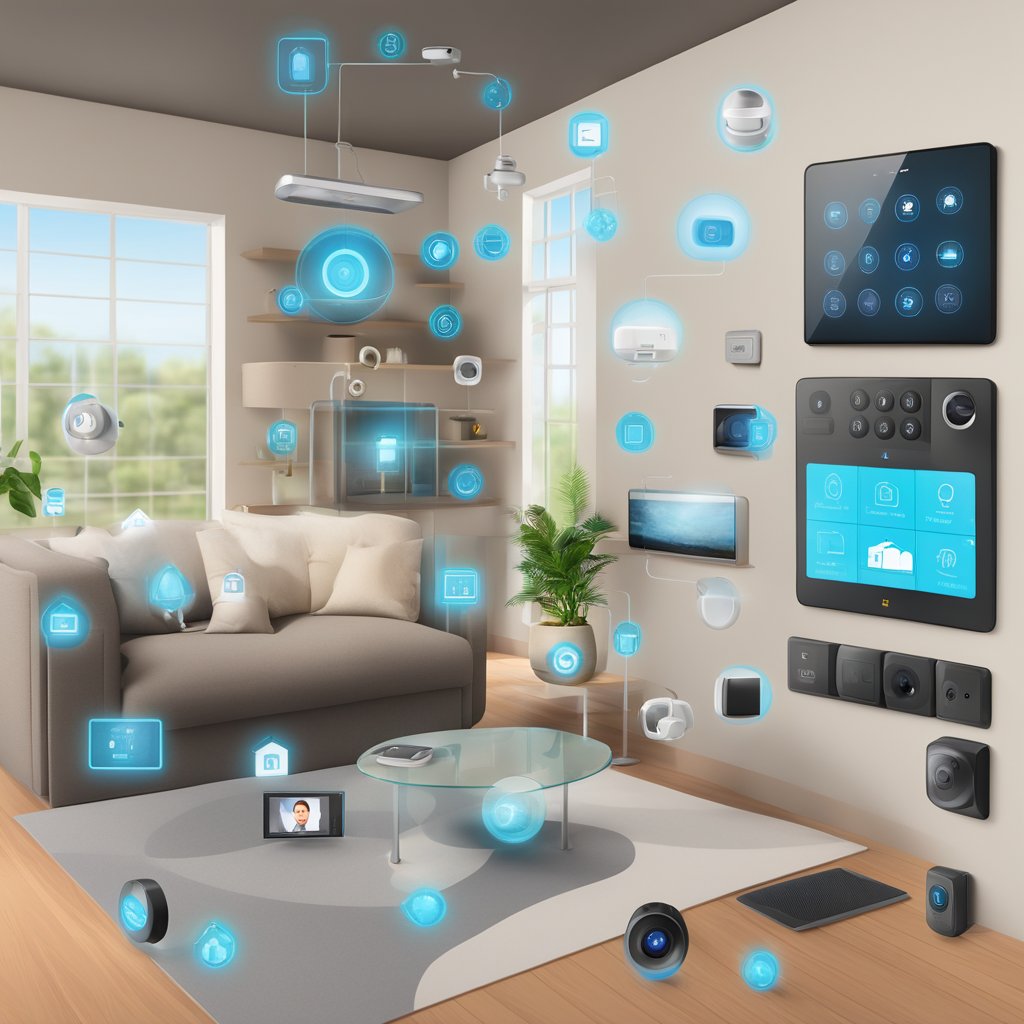
Alexa controlling various smart home devices in a modern living room

Unlocking Alexa's full potential can significantly enhance convenience and comfort. Readers will discover innovative tips and techniques that streamline daily routines and add a personalized touch to home automation.

Exploring these methods opens the door to a smarter living environment, tailored to individual lifestyles. With practical advice and easy-to-implement ideas, this guide is designed for anyone looking to elevate their smart home experience.

Setting Up Alexa for the First Time

Setting up Alexa can be straightforward. Key steps include selecting the appropriate device, downloading the necessary app, and ensuring a stable Wi-Fi connection.

Choosing the Right Device

When selecting an Alexa device, individuals can choose from various options, such as Echo, Echo Dot, or Echo Show. Each model comes with unique features, such as the display on the Echo Show and enhanced sound quality on the Echo.

Consider the intended use. A device with better audio capability may be preferable for larger rooms. A screen-enabled device might be the best choice if visual elements are needed. Evaluate personal preferences and budget to make an informed decision.

Installing the Alexa App

The Alexa app is essential for controlling smart home features and setting up the device. Users can download the app from the Apple App Store or Google Play Store. After installation, they must open the app and log into their Amazon account.

Once logged in, the app provides step-by-step guidance for connecting the Alexa device. It prompts users to add their devices effectively and manage settings like routines and preferences.

Wi-Fi Connectivity and Setup

A stable Wi-Fi connection is crucial for Alexa's performance. Users should check their Wi-Fi network to ensure it meets the device’s requirements. For optimal functionality, it's recommended that the signal strength be at least 2.4 GHz.

During the setup in the Alexa app, users select their Wi-Fi network and enter the password. The app guides users through connecting their device. After a successful connection, users can begin using Alexa’s features across their smart home setup, controlling devices and accessing various Alexa skills.

Voice Command Mastery

Mastering voice commands in a smart home setup enhances user experience and maximizes efficiency. Understanding customization, essential commands, and personalized routines empowers users to utilize Alexa effectively.

Customizing Wake Words

Customizing the wake word allows users to personalize their interaction with Alexa. While “Alexa” is the default, users can select alternatives like “Echo,” “Amazon,” or “Computer.”

To set a custom wake word:

  1. Open the Alexa app.
  2. Go to Devices.
  3. Select Echo & Alexa.
  4. Choose the device and tap on "Wake Word."

This feature can reduce unintended activations and provide a more tailored experience.

Essential Voice Commands

Knowing essential voice commands significantly improves smart home management. Here are some key commands:

  • “Turn on/off [device]”: Control lights, appliances, or locks.
  • “Set the thermostat to [temperature]”: Adjusts temperature quickly.
  • “Play [music genre/artist]”: Stream music effortlessly.

These commands streamline daily tasks and enhance connectivity.

Creating Personalized Routines

Setting up personalized routines can automate multiple actions with a single command. Users can create routines for various scenarios, such as morning or bedtime.

To create a routine:

  1. Open the Alexa app.
  2. Go to Routines.
  3. Tap “+” to add a new routine.
  4. Choose a trigger phrase, like “Good morning” or “I’m home.”
  5. Add actions, such as adjusting lights or reading news.

This customization fosters a smart environment that caters to individual preferences, improving functionality in daily life.

Home Automation Integration

A modern living room with Alexa integrated smart home devices

Home automation integration with Alexa enhances convenience and efficiency. It allows users to control various smart devices seamlessly, improving the overall smart living experience.

Smart Lighting Control

Integrating smart lighting with Alexa enables users to control their lights with voice commands. It can adjust brightness, change colors, and set schedules. For instance, users can say, “Alexa, turn on the living room lights,” or “Alexa, dim the bedroom lights to 50%.”

Many popular lighting brands, such as Philips Hue and LIFX, work with Alexa. Users can create scenes for different moods or activities, like movie nights or dinner parties. Routines such as automatically turning lights on at sunset can also be established.

Users can create automation that enhances functionality by connecting smart lights to other smart devices. For example, lights can flash when the doorbell rings or turn off when someone leaves home.

Smart Thermostat Management

Smart thermostats significantly improve energy efficiency when integrated with Alexa. Users can adjust their home’s temperature with simple voice commands. Phrases like “Alexa, set the thermostat to 72 degrees” provide quick and effortless control.

Devices like the Nest Learning Thermostat and Ecobee can automatically learn habits and adjust temperatures. Users enjoy customized heating and cooling schedules based on their preferences.

Alexa can also provide real-time updates about temperature and energy usage. Users may receive alerts when their home reaches uncomfortable temperatures. Integrating voice control simplifies managing climate settings, leading to greater comfort and energy savings.

Security System Integration

Integrating security systems with Alexa offers enhanced home safety and monitoring. Users can control their smart locks, cameras, and alarms through voice commands, making home security more accessible.

For example, users can say, “Alexa, lock the front door,” or “Alexa, show me the camera feed.” Devices from brands like Ring and August are compatible with Alexa, allowing for real-time surveillance and alerts.

Users can receive notifications about security events, such as doorbell rings or motion detection. Automating security features ensures a proactive approach to safety. By integrating security with Alexa, users enjoy convenient, hands-free management of their smart home’s safety measures.

Entertainment and Media

Alexa enhances entertainment experiences in various ways, making managing music, video content, and gaming easier. Users can enjoy a more streamlined approach to their favorite media with intuitive voice commands.

Streamlining Your Music Experience

With Alexa, users can create a personalized music environment. By linking popular streaming services like Spotify, Apple Music, and Amazon Music, voice commands allow quick access to playlists and songs.

For instance, a user can say, “Alexa, play my Chill playlist.” Alexa also supports multi-room audio, enabling music to play in every room with compatible devices.

Additionally, users can ask for specific songs or genres, control volume levels, or even request trivia about the music being played. This convenience transforms the listening experience.

Managing Video Content with Alexa

Alexa simplifies video management across various platforms. With smart TVs and streaming devices like Fire TV, users can control playback using their voice.

Commands such as “Alexa, watch The Crown on Netflix” help eliminate the need to navigate menus. Users can also pause, rewind, or fast-forward using simple voice prompts.

In addition, Alexa can provide recommendations based on viewing history or current trends. This feature aids users in discovering new shows and movies tailored to their preferences.

Gaming with Alexa

Gamers benefit from Alexa's capabilities for enhanced gameplay. Many games offer integration with Alexa, allowing users to interact through voice commands.

For example, “Alexa, open my game” or “Alexa, give me tips for level five” brings a hands-free approach to gaming. Additionally, users can ask compatible devices for game updates or statistics.

Alexa's versatility extends to party games, where it can act as a quizmaster or host, making group gaming sessions more engaging and allowing players to enjoy a richer gaming experience.

Family and Accessibility Features

Alexa offers a range of family-friendly features and accessibility options. These tools enhance the smart home experience for everyone, ensuring that tasks are easy to manage and that all family members can comfortably engage with technology.

Setting Up Household Profiles

Alexa allows users to create household profiles, enabling personalized experiences for each family member. To set this up, use the Alexa app and go to the settings section. Here are the key steps:

  1. Open the Alexa App: Navigate to the "Settings" menu.
  2. Select "Your Profile": Follow prompts to create a new profile.
  3. Add Family Members: People can have voice recognition, music preferences, and calendar integration.

This setup helps personalize responses, making interactions more relevant to each individual based on their unique voice and preferences.

Alexa for Kids and Parental Controls

Alexa offers specific features designed for children, making it a family-friendly device. Parents can enable a child-friendly mode, which includes:

  • Age-Appropriate Content: Kids can access music, games, and stories suitable for their age group.
  • Parental Controls: Parents can restrict explicit content and limit time spent with Alexa.

Parents can access the Alexa app and adjust settings under the “Kids” section to set these up. This ensures a safe environment, allowing children to explore technology while parents maintain control.

Features for the Visually Impaired

Alexa provides valuable assistance for visually impaired users. Key features include:

  • Voice Feedback: Alexa reads the information when navigating menus or settings.
  • Smart Home Control: Voice commands enable users to control smart home devices without needing visual cues.

To enhance accessibility, users should enable voice settings through the app, ensuring a seamless experience. These features empower visually impaired individuals to utilize smart home technology confidently and independently.

Productivity and Organization

Using Alexa can greatly enhance productivity and organization. Through various features, users can streamline their daily tasks, manage schedules, and keep important information easily accessible.

Making Lists and Setting Reminders

Alexa excels at list-making and reminders. Users can create shopping lists by saying, “Alexa, add milk to my shopping list.”

Types of Lists:

  • Shopping Lists: Easily update and review items.
  • To-Do Lists: Keep track of tasks and important projects.

Setting reminders is also straightforward. For instance, saying, “Alexa, remind me to take out the trash at 7 PM” ensures that important tasks are not forgotten. Users can manage their lists through the Alexa app, helping maintain organization across devices.

Calendars and Scheduling

Calendars and scheduling become hassle-free with Alexa. Users can connect their Google or Microsoft calendars, and voice commands can be used to check schedules quickly.

Key Features:

  • Checking Appointments: Users can ask, “What’s on my calendar today?”
  • Adding Events: Users can effortlessly modify their calendars by saying, “Alexa, schedule a meeting for Tuesday at 3 PM. "

Alexa can send alerts for upcoming events, which keeps users on track. Integrating this feature helps maintain a structured routine.

Email and Communication

Email management improves through Alexa’s integration with various services. Users can connect their email accounts and manage emails by voice.

Main Functions:

  • Reading Emails: Alexa can read the latest emails by command, such as “Alexa, read my emails.”
  • Sending Messages: Users can dictate emails or messages, making communication faster.

Alexa allows for hands-free communication, which is beneficial while multitasking. This level of integration simplifies managing correspondence while enhancing productivity.

Advanced Customization

Advanced customization of Alexa enhances its functionality, providing users greater control and integration within their smart homes. This can be achieved through various methods, including utilizing IFTTT for automation and creating custom Alexa skills tailored to specific needs.

IFTTT and Advanced Automation

IFTTT (If This Then That) offers an effective way to create complex automation routines with Alexa. Users can connect various smart devices and services to enhance interactions. For instance, setting up a trigger for an action can automate tasks such as turning lights on when an alarm goes off.

Steps to use IFTTT with Alexa:

  1. Create an IFTTT Account: Sign up and log in.
  2. Connect Alexa: Link your Amazon Alexa account in IFTTT.
  3. Choose Applets: Browse or create applets that connect Alexa to other services.
  4. Set Triggers: Define the “if this” condition to automate tasks.

This functionality allows users to create sophisticated workflows that make smart home management seamless.

Creating Custom Alexa Skills

Custom Alexa skills provide a unique way to personalize Alexa's capabilities. This feature allows users to build skills tailored to their preferences and routines.

Key steps for skill creation:

  1. Use the Alexa Skills Kit (ASK): Access the tools required for building skills.
  2. Define the Skill: Specify its purpose, user interaction style, and functionality.
  3. Develop the Backend: Write the code to handle user queries and responses.
  4. Test the Skill: Use the Alexa simulator to ensure proper functionality.

Users can develop skills for specific tasks, such as managing schedules, providing notifications, or interacting with other smart devices. This flexibility ensures that Alexa can effectively meet diverse user needs.

Disclosure: This article contains affiliate links, meaning I may earn a commission if you click through and purchase. This helps me continue to share valuable content with you.
50 Creative Ways to Use Alexa in Your Smart Home Setup for Enhanced Living

Thursday, March 20, 2025

7 Essential Smart Home Safety Features for Modern Homes You Need to Consider


7 Essential Smart Home Safety Features for Modern Homes You Need to Consider

Smart home technology has revolutionized how people secure their living spaces. Integrating various safety features not only enhances comfort but also provides peace of mind. Recognizing the essential smart home safety features can help homeowners make informed decisions to protect their families and properties.

A modern home with smart security cameras, motion sensors, smoke detectors, smart locks, video doorbells, and a central control panel

In today's world, where connectivity is paramount, smart devices play a crucial role in monitoring and safeguarding homes. With advancements in technology, these features have become more accessible and user-friendly, making home security not only effective but also convenient. From intelligent surveillance systems to smart alarms, understanding these tools is vital for a secure home environment.

As homeowners explore ways to enhance safety, identifying the most critical features serves as a useful guide. The integration of these technologies can lead to a comprehensive system that ensures both convenience and security. By investing in the right smart home safety features, individuals can significantly mitigate risks associated with modern living.

Understanding Smart Home Safety

Smart home safety is crucial in the modern environment as homes become more connected. As technology evolves, both the threats and security measures must adapt to ensure comprehensive safety in smart homes.

Evolving Threats and Smart Home Vulnerabilities

Smart homes face a range of evolving threats. Cybersecurity issues have become increasingly prevalent as more devices connect to the internet. Common vulnerabilities include weak passwords, unpatched software, and unsecured Wi-Fi networks.

Many devices, such as smart cameras and locks, can be targeted by hackers. Potential risks include unauthorized access to homes and personal data breaches. Users must remain vigilant and stay informed about the latest security threats to mitigate these risks effectively.

Basics of Smart Home Security

Establishing robust smart home security involves several key practices. Using strong passwords and enabling two-factor authentication can significantly reduce risks. Regularly updating the firmware on smart devices also plays a crucial role in preventing exploits.

Network security is another vital component. Utilizing a dedicated Wi-Fi network for smart devices can limit exposure to threats from personal devices. Additionally, investing in a reputable security system with features like intrusion detection can provide an added layer of protection.

Secure Network Infrastructure

Establishing a secure network infrastructure is fundamental to protecting smart home devices. This includes implementing robust firewall protection and adhering to secure Wi-Fi practices to mitigate potential vulnerabilities.

Firewall Protection for Your Home Network

A firewall acts as a barrier between the home network and external threats. It monitors incoming and outgoing traffic to ensure that unauthorized access is blocked.

Homeowners should consider using both hardware and software firewalls. Hardware firewalls are integrated into routers, providing a first line of defense. Software firewalls run on individual devices and offer an additional layer of security.

To optimize firewall effectiveness, regularly update firewall settings and policies. Utilize features like intrusion detection to monitor suspicious activity. Adjust settings to customize protections specific to the home’s network usage and device types.

Secure Wi-Fi Setup and Best Practices

Creating a secure Wi-Fi network is critical for protecting connected devices. Start by changing the router's default username and password to something unique and strong.

Use WPA3 encryption if available, as it provides the latest security improvements. Disable WPS, which can be a vulnerability.

Regularly update the router’s firmware to patch any security flaws. Network segmentation can also enhance security; for example, creating separate networks for smart devices and personal devices can limit exposure.

Lastly, avoid using easily guessable SSIDs (network names) and periodically review connected devices to ensure no unauthorized access points.

Advanced Authentication Methods

A modern smart home with biometric door locks, security cameras, motion sensors, fire alarms, smart lighting, and voice-controlled virtual assistants

Smart home devices increasingly rely on sophisticated authentication methods to enhance security. These methods ensure that access is granted only to authorized users, helping protect against unauthorized entry and cyber threats.

Multi-Factor Authentication

Multi-factor authentication (MFA) requires users to verify their identity through multiple methods before accessing smart home systems. This approach typically combines something the user knows (like a password), something they possess (like a smartphone), and something inherent to the user (like a fingerprint).

Using MFA significantly reduces the risk of unauthorized access. For example, even if someone obtains a password, they would also need the corresponding device or biometric data to gain entry. Implementing MFA can enhance security for critical systems such as door locks, cameras, and alarms.

MFA can also take various forms, including SMS verification codes, email alerts, or authenticator apps. Homeowners should choose the combination that best fits their lifestyle and security needs.

Biometric Verification Systems

Biometric verification systems employ unique physical characteristics for authentication, offering a highly secure alternative to traditional passwords. Common methods include fingerprint scanning, facial recognition, and iris scans.

These systems allow users to unlock devices or gain access simply by presenting their biometric data. Such technology can streamline the authentication process, making it more user-friendly while maintaining high security levels.

Biometric systems are increasingly integrated into smart home devices, from security cameras to smart locks. While highly effective, homeowners should be aware of privacy concerns and ensure that biometric data is securely stored and managed. This adds an important layer of protection against potential data breaches.

Real-Time Monitoring Solutions

Real-time monitoring solutions are crucial for maintaining safety and security in modern homes. These technologies provide immediate visibility and responsiveness, enabling homeowners to react swiftly to potential threats.

Smart Cameras and Surveillance

Smart cameras are essential for real-time monitoring. They provide live feeds of home areas, allowing homeowners to observe activities anywhere via mobile applications.

Key Features:

  • Motion Detection: Alerts trigger when movement is detected in designated zones.
  • Night Vision: Enables visibility in low-light conditions, enhancing security overnight.
  • Two-Way Audio: Homeowners can communicate with visitors or intruders directly through the camera.

Many smart cameras are also equipped with cloud storage, allowing recorded footage to be accessed anytime. Integration with other smart home devices offers a comprehensive security solution, making it easier to manage alerts and monitors in one interface.

Emergency Response Integration

Integrating real-time monitoring systems with emergency response services provides a significant boost to home safety.

Benefits Include:

  • Automatic Alerts: In case of a security breach or fire, the system can notify emergency services automatically.
  • Live Monitoring by Professionals: Some systems offer 24/7 professional monitoring, ensuring immediate reactions to emergencies.
  • Mobile Alerts: Homeowners receive instant notifications about emergencies, allowing them to take action even when away from home.

Integrating these systems ensures that help is dispatched swiftly, reducing potential damages and increasing overall safety. Tailored settings allow users to customize which alerts are prioritized, depending on individual security needs.

Automated System Updates and Maintenance

Regular updates and maintenance are key to ensuring the functionality and security of smart home systems. Keeping software current protects devices from vulnerabilities and enhances their overall performance.

Regular Firmware Updates

Firmware updates for smart devices are crucial. These updates often include patches that fix security vulnerabilities and improve system stability.

Smart home devices, including cameras and alarms, can receive updates automatically or require manual installation. Users should verify the settings of their devices to ensure they are set for automatic updates whenever possible.

Failing to keep firmware up to date can expose the home to cyber threats. Regular updates also add new functionalities, making devices smarter over time. Scheduled reminders or alerts can help users stay on track.

Self-Diagnostic Tools

Self-diagnostic tools provide real-time analysis of smart device performance. These tools identify issues such as connectivity problems or hardware malfunctions without the need for professional assistance.

Many smart home devices come equipped with built-in diagnostics. These features can alert homeowners about necessary actions like updating software or checking battery levels.

Through a mobile app or web interface, users can access performance logs and receive notifications. This information helps in proactively addressing potential problems before they escalate, ensuring the home remains secure and efficient.

Backup Power Supplies

Backup power supplies are crucial for maintaining smart home functionality during electrical outages. They ensure that essential devices and systems remain operational, providing safety and security.

Uninterruptible Power Supply (UPS) Systems

Uninterruptible Power Supply (UPS) systems are devices that provide immediate backup power. These systems contain batteries that automatically engage when the main power supply fails.

A UPS offers protection for sensitive equipment such as smart hubs, security cameras, and home networking devices. They can be categorized into two main types: Standby and Line-Interactive systems.

  • Standby UPS: Activates during a power loss, offering basic protection.
  • Line-Interactive UPS: Maintains voltage and line conditioning, providing enhanced stability.

UPS systems typically come with various wattage ratings, allowing users to choose one that meets their home's specific needs.

Battery Backup Solutions

Battery backup solutions offer a different approach to maintaining power in smart homes. These systems store electrical energy and can power devices for extended periods during outages.

Some common options include:

  • Lithium-Ion Batteries: Known for their efficiency and longevity.
  • Lead-Acid Batteries: Less expensive but bulkier and shorter-lived.

Battery backup systems can be integrated into existing smart home setups, ensuring uninterrupted access to critical devices. For maximum effectiveness, homeowners should assess their power requirements and select a battery system capable of supporting their needs during outages.

Data Protection and Privacy Measures

Smart home devices collect and process personal information, making data protection critical. Effective measures include encryption techniques and data anonymization procedures to maintain user privacy and secure sensitive information.

Encryption Techniques

Encryption is essential for protecting data transmitted between smart devices and servers. This process involves converting readable information into a coded format, ensuring that only authorized users can access it.

Common encryption protocols include:

  • AES (Advanced Encryption Standard): Widely used for securing data, it offers strong protection.
  • TLS (Transport Layer Security): Secures data in transit, preventing interception by unauthorized parties.

Implementing end-to-end encryption ensures that data remains secure from the moment it is created until it reaches its final destination. Users should look for devices that support the latest encryption standards to enhance security.

Data Anonymization Procedures

Data anonymization involves removing personal identifiers from data sets, ensuring the information cannot be traced back to individual users. This technique enhances privacy while allowing manufacturers to analyze user trends without exposing personal details.

Methods of anonymization include:

  • Data Masking: Replacing sensitive information with non-sensitive substitutes.
  • Aggregation: Summarizing data to provide insights without revealing specifics.

Proper anonymization measures allow companies to comply with privacy regulations, such as GDPR. Users benefit from this approach, as it minimizes risks associated with potential data breaches while still enabling manufacturers to improve products.

Physical Tamper Resistance

Ensuring the physical tamper resistance of smart home devices is crucial for maintaining security. This involves implementing strong locks and sealants along with advanced tamper detection technologies to safeguard personal property.

Locks and Sealants for Devices

Effective locks and sealants are vital components in protecting smart home devices against unauthorized access.

  1. Smart Locks: These can be equipped with keypads or biometric access, making forced entry more challenging. They often feature additional security measures, such as auto-locking mechanisms and remote monitoring.

  2. Sealants: Protective enclosures can shield sensitive devices from tampering. These may include tamper-proof screws, locks, or epoxy sealants that make it difficult to open devices without detection.

  3. Hardened Materials: Using materials like reinforced glass or metal instead of plastic can prevent easy break-ins. Devices should be designed to withstand physical attacks, making tampering more difficult.

Considering these aspects significantly elevates the security standards of smart home products.

Tamper Detection Technologies

Tamper detection technologies enhance the security of smart devices by providing alerts when unauthorized access or tampering is detected.

  1. Sensors: Devices equipped with pressure sensors or accelerometers can notify homeowners if someone attempts to move or open them.

  2. Real-time Alerts: Integration with mobile apps allows for immediate alerts when tampering is detected. Owners can act quickly to secure their premises.

  3. Periodic Checks: Some systems perform regular self-checks to ensure components are intact. Any anomalies can trigger a notification, maintaining constant vigilance.

By integrating these technologies, smart home systems offer a robust defense against potential threats.

Disclosure: This article contains affiliate links, meaning I may earn a commission if you click through and purchase. This helps me continue to share valuable content with you.
7 Essential Smart Home Safety Features for Modern Homes You Need to Consider

Sunday, March 16, 2025

Local vs. Cloud: Choosing the Right Smart Home Server for Enhanced Privacy

 Local vs. Cloud: Choosing the Right Smart Home Server for Enhanced Privacy


Setting up a smart home server can significantly enhance privacy and control over personal data. Choosing between a local server and a cloud-based solution directly impacts data security and privacy. Many individuals are concerned about how their information is stored and accessed, making this decision crucial for anyone looking to maintain a secure smart home environment.

A cozy living room with a smart home server setup on a wooden table, surrounded by various devices and a mix of local and cloud-based technology

Local servers offer users complete control over their data, minimizing reliance on third-party services, which can be vulnerable to breaches. On the other hand, cloud solutions provide convenience and easy access from anywhere but often come with privacy trade-offs. Evaluating the benefits and drawbacks of each method allows individuals to make informed choices based on their specific needs and concerns.

Ultimately, understanding the implications of using a local versus a cloud server will help users create a smart home setup that aligns with their privacy preferences. This article will explore the factors to consider and guide readers through the decision-making process, ensuring they select the best option for their smart home.

Understanding Smart Home Servers

Smart home servers are central to managing connected devices within a home network. They can be set up locally or in the cloud, each offering distinct advantages and disadvantages that impact functionality, control, and privacy.

Defining a Smart Home Server

A smart home server acts as the hub for various IoT (Internet of Things) devices within a residence. It connects, controls, and facilitates communication among devices like smart lights, thermostats, and security systems.

Smart home servers can run specific software designed for automation, security, or monitoring. This central system enables users to create routines, manage device settings, and enhance integration with broader smart home ecosystems.

Local vs. Cloud Servers

Local servers store data and run applications on-site, ensuring more control over privacy and security. With local setups, the homeowner maintains direct access to their data without relying on external providers.

Pros of Local Servers:

  • Enhanced privacy
  • Reduced downtime
  • Full control over the system

Cloud servers operate over the internet, providing ease of access and scalability. They are often simpler to set up and utilize as they don’t require extensive hardware investment.

Pros of Cloud Servers:

  • Remote access from anywhere
  • Automatic updates
  • Built-in backup solutions

Choosing between local and cloud solutions depends on a user’s privacy needs, technical expertise, and commitment to managing their network. Each option brings unique benefits that should be carefully considered.

Privacy Concerns in Smart Home Technology

Smart home devices offer convenience, but they also raise concerns regarding data privacy and security. Users must be aware of the risks associated with the storage, transmission, and access of personal data.

Data Security Risks

Smart home devices often collect various data types, including personal preferences, routines, and location information. If this data is not properly secured, unauthorized parties may gain access to sensitive information.

Key risks include:

  • Unauthorized Access: Weak passwords and default credentials can expose devices to hackers.
  • Data Breaches: Centralized data storage increases the risk of large-scale breaches, potentially compromising multiple users at once.
  • Data Mining: Companies may exploit personal data for targeted advertising or selling to third parties without user consent.

Ensuring robust security measures, such as encryption and regular software updates, is essential to mitigate these risks.

Common Vulnerabilities

Many smart home devices come with common vulnerabilities that can be exploited. These can arise from poor designs or lack of awareness among users.

Common vulnerabilities include:

  • Insecure Protocols: Some devices use outdated communication protocols that lack encryption.
  • Inadequate Firmware Updates: Users may neglect to update device firmware, leaving them exposed to known threats.
  • Inter-device Communications: Unsecured connections between devices can allow attackers to gain entry into a home network.

To enhance security, users should regularly check for updates and utilize secure network configurations.

Setting Up a Local Smart Home Server

A person setting up a smart home server, with a local server on one side and a cloud server on the other, surrounded by various smart home devices

Establishing a local smart home server provides enhanced privacy and control over smart devices. This involves specific hardware, suitable software, and robust network security measures.

Hardware Requirements

Selecting the right hardware is crucial for a local smart home server. The options range from dedicated devices to repurposed computers. Below is a list of essential components:

  • Processor: A multi-core CPU, such as Intel i3 or AMD Ryzen 3, ensures efficient processing.
  • RAM: At least 8GB of RAM is recommended for smooth operation.
  • Storage: SSDs are preferable for speed, with a minimum of 256GB. Consider external drives for additional storage.
  • Network Interface: A minimum of one Ethernet port for a wired connection enhances stability.

Graphics capabilities are less critical unless planning for video processing.

Software and Configuration

Choosing the right software forms the backbone of a smart home server. Popular options include:

  • Home Assistant: Open-source software that offers flexibility and customization.
  • OpenHAB: Designed for interoperability among various smart devices.
  • Domoticz: Lightweight and easy to set up, ideal for beginners.

Configuration typically involves installing the chosen software on the server device and connecting smart devices.

Users should familiarize themselves with the interface, including creating automation rules and managing device settings. Regular updates enhance functionality and security.

Network Setup and Security

A secure network setup protects a local smart home server. Start with the following:

  • Router Settings: Change the default login credentials and enable WPA3 encryption.
  • Subnetting: Use VLANs to separate smart devices from personal devices, minimizing exposure.
  • Firewall Configuration: Set rules to block unauthorized access to the server.

Utilizing a VPN can add an extra layer of privacy. Regularly change passwords and monitor network activity for unusual behavior. Keeping firmware updated protects against vulnerabilities.

Leveraging Cloud Services for Smart Homes

Cloud services can enhance smart home functionality by providing scalability, remote access, and integration with various devices. They allow users to manage their smart home systems from anywhere, streamlining automation and control.

Comparing Service Providers

When selecting a cloud service provider, one should consider storage capacity, security features, and integration options. Popular providers include:

  • Amazon Web Services (AWS): Offers extensive services, including IoT integration and data analytics.
  • Google Cloud Platform (GCP): Known for machine learning capabilities and an intuitive interface.
  • Microsoft Azure: Provides robust enterprise services and strong security features.

Each provider has distinct advantages and costs. Evaluating these factors helps determine the most suitable option based on specific smart home needs.

Integrating Cloud with Local Systems

Integrating cloud services with local systems can optimize performance and security. Smart home devices often feature local processing, which reduces latency while providing reliable operation.

Using APIs, developers can connect local devices to cloud platforms, enabling enhanced functionalities such as:

  • Remote Monitoring: Access device status and notifications from anywhere.
  • Data Backup: Securely store device data in the cloud, preventing loss.
  • Advanced Automation: Use cloud-based algorithms to create complex automation sequences.

Balancing local and cloud capabilities maximizes both performance and privacy, allowing users to customize their smart home ecosystems effectively.

Achieving Privacy with Smart Home Devices

Maintaining privacy in a smart home environment is paramount. It involves employing techniques such as encryption, access control, and data anonymization to safeguard personal information effectively.

Encryption and Access Control

Encryption secures data transmitted between devices, preventing unauthorized access. By implementing end-to-end encryption, users ensure that only authorized devices can read the data. Smart home owners should prioritize devices that offer strong encryption protocols like AES-256.

Access control is equally crucial. Utilizing unique credentials for smart devices restricts access to trusted users. Multi-factor authentication (MFA) adds another layer of security, requiring a second form of verification, such as a code sent to a mobile device.

Regularly updating device firmware closes security vulnerabilities. Users should monitor and manage permissions for each device, ensuring they only share necessary data.

Data Anonymization Techniques

Data anonymization techniques help protect users' identities while still allowing for functionality. Techniques such as data masking and pseudonymization change personal information into formats that cannot be traced back to a specific individual.

For instance, rather than sending precise location data, devices can send generalized information like "Zone A" or "Zone B".

Users should consider using a Virtual Private Network (VPN) to add an extra layer of anonymity. This masks the user's IP address, making it harder for third parties to track online behavior.

By combining these methods, smart home users can achieve a higher level of privacy while enjoying the benefits of connected devices.

Maintenance and Updates

Maintaining a smart home server for privacy requires consistent attention to updates and monitoring. Regular updates protect against vulnerabilities, while monitoring ensures the system operates smoothly.

Regular Security Updates

Applying security updates is essential for safeguarding a smart home server. This includes both operating system and application updates.

  • OS Updates: It is critical to enable automatic updates for the operating system. This minimizes the risk of exploitation from known vulnerabilities.
  • Application Updates: Regularly check for updates in all installed smart home applications. Developers frequently release patches to address security flaws.

Running outdated software can expose systems to attacks. To mitigate risks, create a schedule for manual checks between automatic updates.

System Monitoring and Auditing

Monitoring system performance helps identify issues before they escalate. Tools and techniques can assist in auditing the configuration and usage patterns.

  • Performance Monitoring Tools: Utilize software solutions that track CPU usage, memory, and network traffic. These tools provide insights into how the server performs under loads.
  • Auditing Procedures: Regularly audit user access and permissions. Remove any unauthorized devices or users to prevent data breaches.

Set up alerts to notify when unusual activity is detected. This proactive approach enhances security and ensures optimal performance of the smart home server.

Best Practices for Privacy Preservation

Maintaining privacy in a smart home environment involves educating users and adhering to policies and compliance measures. Focused attention in these areas can significantly enhance data security and user trust.

User Education and Awareness

Educating users about privacy risks is essential for safeguarding personal information. Training sessions or workshops can inform them about potential threats, such as phishing attacks and data breaches.

Providing resources, like guides on securing devices and networks, empowers users to take proactive steps. Highlighting best practices such as regularly updating software, using strong passwords, and enabling two-factor authentication is vital.

Regularly communicating updates about new threats and security measures keeps users informed. Familiarity with privacy settings on devices can also enhance privacy. Simple actions, like disabling unnecessary features and understanding data-sharing policies, significantly contribute to overall safety.

Policy and Compliance

Establishing clear policies for data handling is crucial for privacy preservation. Organizations should define how data is collected, used, and stored.

Compliance with regulations, such as GDPR or CCPA, not only protects user information but also builds trust. Regular audits to ensure adherence to these policies can help identify areas needing improvement.

Implementing privacy-by-design principles during the development of smart home technologies ensures that privacy is prioritized from the outset. Organizations should also create a transparent data breach response plan to address incidents promptly. Consistent communication of privacy policies to users fosters trust and compliance.

Saturday, March 15, 2025

Smart Home: Revolutionizing Modern Living Spaces

 Smart home technology is changing the way people live by making everyday tasks easier with automation and remote control. Homeowners can now control lights, thermostats, security systems, and more through their smartphones. This technology creates a more convenient and efficient living environment.

A modern living room with voice-controlled devices, automated lighting, and a digital assistant managing the smart home system

These systems use advanced technology to improve daily life and save energy. Smart devices communicate with each other through a network, providing a seamless experience. This connectivity helps ensure everything in the home is working together effortlessly.

Developing smart home ecosystems means devices from different brands can work smoothly with one another. This integration allows users to customize their homes to meet their specific needs and preferences.

Key Takeaways

  • Smart homes offer remote control of various devices.
  • Energy efficiency and security are key benefits.
  • Integration allows for personalized smart home systems.

Evolution of Smart Home Technology

Smart home technology has grown rapidly, transforming from simple devices to advanced systems. The journey began with basic automation, leading to interconnected devices through IoT and now advanced home automation.

Early Innovations and Adoption

In the late 20th century, smart home technology started with basic tools like programmable thermostats and lighting controls. These were often standalone devices, not connected to other systems.

Early adopters were tech enthusiasts who enjoyed experimenting with new gadgets. Simple devices like automatic sprinkler systems and garage door openers gained popularity. Home security systems also emerged, providing homeowners with newfound peace of mind. Over time, the desire for more convenient, integrated solutions grew, setting the stage for future advancements.

Rise of Internet of Things (IoT)

The introduction of IoT changed the game, allowing devices to communicate with each other through the internet. This connectivity enabled a new level of automation and control. Devices, such as smart speakers and lighting systems, began to come with voice control and smartphone apps.

Adoption rates surged as consumers sought more efficient and user-friendly experiences. Companies expanded their range of products to include everything from smart fridges to smart locks. These innovations offered seamless integration, giving users more control over their environments with just a few clicks or voice commands.

Advancements in Home Automation

Today, home automation goes beyond basic tasks to fully integrated systems. Smart assistants, like Alexa and Google Assistant, allow for complex scheduling and routines. Homeowners can now control heating, lighting, and even security from anywhere in the world.

Artificial intelligence has improved systems' ability to learn user preferences and adjust settings accordingly. Energy efficiency has become a significant focus, with smart systems reducing waste and lowering utility bills. This wave of advancements makes homes more comfortable, secure, and efficient, marking a significant evolution from the early days of smart technology.

Components of a Smart Home

A modern living room with smart home devices: voice-controlled speaker, smart thermostat, security camera, and automated lighting

Smart homes are made up of different technologies that work together to make living more convenient and efficient. These components include devices, sensors, communication systems, and user-friendly controls.

Smart Devices and Appliances

Smart devices and appliances are key parts of a modern home. They include things like smart refrigerators, lights, thermostats, and speakers. These devices connect to the internet and can be controlled remotely or through voice commands.

Some common smart appliances are smart ovens, which can be programmed to start cooking at a certain time, and smart TVs, allowing streaming services access. They often come with apps that help users control and monitor their functions.

Sensors and Actuators

Sensors gather information from the environment. They can detect motion, temperature, humidity, and even light levels. For example, a motion sensor can alert users to movement when they are away from home.

Actuators then do something with the information collected by sensors. For instance, if a sensor detects that it is too hot, an actuator might turn on a fan. Together, they automate everyday tasks and enhance security.

Communication Protocols

Communication protocols are systems that allow smart home devices to talk to each other. Popular protocols include Wi-Fi, Bluetooth, and Zigbee. Each has its strengths, such as range, energy use, and speed of communication.

For example, Zigbee uses less power, allowing devices to last longer on a single charge. Choosing the right protocol depends on the specific needs of the smart home setup.

Control Interfaces and Apps

Control interfaces and apps let users interact with their smart home systems. These can be physical devices like smart speakers or digital apps on smartphones. They provide a way to manage and control all devices from a central location.

Users can adjust settings, schedule tasks, or create routines using these interfaces. Voice-controlled assistants, like Amazon Alexa or Google Assistant, offer hands-free control, making interaction with smart home systems convenient and easy.

Networking and Connectivity

A modern smart home with interconnected devices and seamless connectivity

Smart homes depend on strong networking to connect various devices smoothly. Different technologies like Wi-Fi, Bluetooth, Zigbee, Z-Wave, and mesh networks play a crucial role in this connectivity. Their functions and compatibility can impact the smart home experience.

Wi-Fi and Bluetooth

Wi-Fi is vital in smart homes. It connects devices like smart speakers, cameras, and thermostats to the internet. Wi-Fi works well for streaming and transferring large amounts of data. Most homes already have Wi-Fi networks, making it easy to integrate new devices.

Bluetooth is another way devices communicate in a smart home. It uses less power than Wi-Fi and works well for close-range connections. Smart locks, speakers, and light bulbs often use Bluetooth. Both Wi-Fi and Bluetooth are widely supported, which makes them popular choices in smart homes.

Zigbee and Z-Wave

Zigbee and Z-Wave are specially designed for smart home gadgets. Both technologies send data over short distances with low power. They help devices communicate without relying on Wi-Fi networks, leading to less congestion.

Zigbee uses a mesh network system that allows devices to relay signals. This increases the range and reliability of connections. It's popular among smart home gadgets like lights and sensors due to its open standard and broad device support.

Z-Wave is also popular for its reliability and low interference. It operates on a different frequency than Wi-Fi, avoiding potential conflicts. Z-Wave networks can support many devices—up to 232—without losing performance, making it a stable choice for extensive smart home setups.

Mesh Networks

Mesh networks extend the reach of Wi-Fi across a home, ensuring every device has a strong connection. They use multiple nodes to cover large areas, eliminating dead zones common in traditional Wi-Fi setups.

These nodes communicate with each other to provide consistent coverage. As a result, users can move around the house without experiencing dropped connections. Mesh networks are advantageous for big homes or those with challenging layouts.

They also manage network traffic efficiently, offering seamless internet access across all devices. Products like Google's Nest WiFi and Amazon's Eero are popular choices, making mesh networks an attractive option for smart home enthusiasts seeking reliable connectivity.

Smart Home Security

Smart homes rely on technology to keep them safe. Encryption protects data from hackers. Strong user authentication methods ensure only authorized access. Implementing best practices can greatly enhance security.

Encryption and Data Protection

Encryption plays a crucial role in keeping smart home systems safe. It turns readable data into a coded format. This makes it hard for unauthorized users to access it. Data encryption protects sensitive info as it moves through networks.

Most smart devices use SSL/TLS for secure connections. This shields data during transfer over the internet. Homeowners should check if their devices support the latest encryption standards. End-to-end encryption ensures data privacy, as only the sender and receiver can read the message. Keeping software updated is important as updates often fix known security weaknesses.

User Authentication

User authentication ensures that only authorized individuals can access smart home systems. Common methods include passwords, fingerprint scans, and facial recognition. Using two-factor authentication (2FA) adds an extra layer of security by requiring a second form of verification.

Strong passwords are essential. They should be a mix of letters, numbers, and symbols. Avoid using easily guessed passwords like birthdays or common words. Some systems use biometric authentication, which is unique to each person. Regularly updating passwords can prevent unauthorized access. It's important to disable default passwords on new devices to reduce risk.

Security Best Practices

Adopting security best practices is essential for a safe smart home. First, regularly update all devices' software to protect against vulnerabilities. Second, use a separate network for smart devices. This isolates them from computers and smartphones, limiting exposure if hacked.

Network security can be strengthened by enabling firewall protection and changing the default router password. Monitoring device activity can help spot unusual behavior early. Finally, educate everyone in the home about security risks. Awareness helps prevent actions that might lead to breaches. Following these steps can maintain a secure and efficient smart home environment.

Energy Efficiency and Sustainability

Smart home technology plays a vital role in reducing energy consumption and promoting sustainability. By using innovative devices like smart thermostats, intelligent lighting, and home energy management systems, homeowners can save energy and lessen their environmental impact.

Smart Thermostats

Smart thermostats learn a household's heating and cooling preferences and adjust temperatures accordingly. They help save energy by automatically reducing usage when no one is home. These devices can be controlled remotely via smartphone apps, offering the ability to change settings from anywhere.

They also provide insights into energy usage and suggest ways to cut down utilities. Smart thermostats are easy to install and can connect to voice assistants for added convenience. With energy-saving modes, they represent an effective tool for managing a home's temperature efficiently and sustainably.

Intelligent Lighting

Intelligent lighting systems use sensors and timers to optimize electricity use. Lights can automatically turn off when rooms are empty, saving energy and extending bulb life. LED bulbs, which are commonly used with these systems, consume less power and last longer than traditional bulbs, making them an eco-friendly choice.

Homeowners can control lights through apps, allowing for adjustments from afar or setting schedules. Smart lighting often integrates with other smart devices for a seamless home automation experience, making homes more energy-efficient and environmentally friendly without sacrificing convenience or comfort.

Home Energy Management

Home energy management systems monitor and control energy use throughout a home. They collect data on electricity consumption, helping users identify inefficient appliances and peak usage times. With this information, homeowners can make informed decisions about energy-saving improvements.

These systems often provide real-time updates on energy use, accessible via mobile or desktop apps. Some systems include recommendations for reducing consumption or integrating renewable energy sources. Home energy management is key to efficient energy usage, offering significant opportunities for cost savings and reduced environmental footprints.

Smart Home Ecosystems and Platforms

Smart home ecosystems are designed to make everyday life easier. They allow you to control devices with simple voice commands. This section covers three leading platforms: Amazon Alexa, Google Assistant, and Apple HomeKit. Each offers unique features tailored to specific needs.

Amazon Alexa

Amazon Alexa is one of the most popular smart home platforms. It connects with a wide range of devices like lights, thermostats, and door locks. Users can control these devices using voice commands or through the Alexa app.

Alexa offers skills and routines, which are similar to apps. They enable users to perform tasks by saying a specific command. For example, saying “Good morning” can simultaneously turn on the light and read the news.

Devices from many brands are compatible with Alexa. This variety makes it easy to expand your smart home. The Echo devices, such as Echo Dot and Echo Show, serve as the hub for controlling your smart home.

Google Assistant

Google Assistant provides a seamless integration with Google's services. It supports a wide range of smart home devices. With Google Assistant, users can control devices like smart bulbs, locks, and thermostats.

Google Assistant works well with Android phones and smart displays like Google Nest Hub. It offers routines—a series of actions triggered by one command. Users can automate everyday tasks, such as adjusting lights while playing relaxing music through simple voice instructions.

One key advantage is its strong search capabilities. It answers queries with information from Google’s vast database. This makes it a versatile choice for those who use other Google services frequently.

Apple HomeKit

Apple HomeKit is designed for users within the Apple ecosystem. It provides a secure and straightforward way to control smart home devices. With HomeKit, iPhones, iPads, and Apple Watches serve as control centers.

Users can manage devices using the Home app or Siri, Apple’s voice assistant. HomeKit supports scenes—groups of actions controlled by a single command. For example, a “Movie Night” scene can dim lights and close blinds.

Security is a major focus. HomeKit uses strong encryption to ensure user data stays private. This feature is appealing to those who prioritize privacy and simplicity. Devices compatible with HomeKit ensure a smooth experience without complicated setup.

User Experience and Accessibility

Smart homes are becoming more intuitive and accommodating. Voice control, user interfaces for the elderly and disabled, and personalized systems play a significant role. They make technology more user-friendly, enhancing daily life.

Voice Control and Conversational Interfaces

Voice control systems in smart homes allow users to communicate with their devices seamlessly. These systems are often powered by AI assistants like Alexa, Google Assistant, or Siri. Individuals can use simple commands to adjust the temperature, control lights, or manage other appliances.

Conversational interfaces help users interact with these systems naturally, using everyday language. This makes technology more accessible, especially for those unfamiliar with complex controls. Hands-free operations are particularly useful in situations where physical effort is limited or when multitasking.

Moreover, voice control systems are continually improving. They are now configured to understand different accents and languages. This diversity in language recognition further opens up technology access to a broader audience. Voice feedback and confirmations ensure actions are performed correctly, enhancing trust in smart home technology.

Interfaces for the Elderly and Disabled

Smart home systems increasingly design their interfaces with the elderly and disabled in mind. These interfaces need to be simple and intuitive. Large icons, clear displays, and easy navigation are essential features.

Smart home devices often include voice-activated controls, reducing the need for physical manipulation. For those with visual impairments, screen readers and audio outputs provide crucial support.

Additionally, sensors and automation play a significant role in providing safety and convenience. For example, motion sensors can turn on lights automatically, preventing falls during the night. Systems can also monitor activities and send alerts if any issues arise, offering greater independence and peace of mind.

Personalization and Adaptive Systems

Personalization in smart homes means systems are tailored to individual preferences. These systems learn users’ habits over time, adjusting settings like lighting and temperature for comfort.

Machine learning allows devices to adapt and improve user experience continuously. For instance, smart thermostats adjust temperatures based on past behaviors and forecasted weather conditions.

Adaptive systems provide reminders and suggestions based on routines, like reminding users to lock the door or adjust lighting for bedtime. By focusing on individual needs, smart homes offer a customized living experience that enhances convenience and comfort for everyone.

Implementation and Installation

Setting up a smart home involves various ways to introduce technology into a living space. People can choose DIY projects or hire professionals for a full automation service. Each method has its benefits and considerations, especially when updating older homes.

DIY Smart Home Projects

DIY projects offer a hands-on way to start building a smart home. People can control costs and choose compatible devices like smart lights, thermostats, and speakers.

Wireless systems make installation easier. Some require just plugging in devices and connecting them to Wi-Fi. Apps are available for smartphones to manage these devices.

Common challenges include making sure devices are compatible and securing the network. Researching well-known brands and reading online reviews can help avoid these issues.

Professional Home Automation Services

Professional services provide a more complete setup for smart homes. Experts design systems that include lighting, heating, security, and entertainment.

They assess the home's layout and recommend the best solutions for seamless integration. This ensures that all parts work together effectively.

The installation includes configuring networks, hiding cables, and installing control panels. This option saves time and reduces the stress of troubleshooting.

Considerations for Retrofitting

Retrofitting older homes for smart tech presents unique challenges. Older buildings may not have the wiring or infrastructure needed for some modern systems.

Consider focusing on wireless solutions, as they are easier to install without major renovations. Battery-operated devices or Wi-Fi-connected products can bypass wiring issues.

It's important to check the building's compatibility first to avoid unexpected complications. Consulting professionals for an assessment can provide valuable guidance on what is possible.

Trends and Future Directions

As smart homes evolve, several trends are emerging. Artificial intelligence enhances daily routines, integrated health monitoring supports well-being, and smart cities improve urban living through connected technologies.

Artificial Intelligence and Machine Learning

Artificial intelligence (AI) and machine learning are key components in smart home technology. They enable devices to learn user preferences. For example, thermostats adjust to a person’s schedule, helping save energy. AI voice assistants can recognize different voices in a household. This allows for personalized responses and actions.

Through AI, security systems become smarter. They can distinguish between normal activity and potential threats. This reduces false alarms and increases safety. Machine learning helps improve the performance of devices over time, making homes more efficient and tailored to the user’s lifestyle.

Integrated Health Monitoring

Integrated health monitoring in smart homes is creating new ways to support people’s health. Devices track vital signs like heart rate and blood pressure. This helps in early detection of health issues. Through data collection, users and doctors gain valuable insights.

Smart mirrors and fitness equipment guide exercise routines, promoting a healthy lifestyle. Sleep trackers analyze patterns to suggest improvements in sleep quality. These technologies make it easier for individuals to manage their well-being. They adapt to personal health needs, offering customized suggestions and alerts when attention is needed.

Smart Cities and Urban Development

Smart cities are becoming more common as urban areas adopt technology. Smart homes connect to wider networks, enhancing city living. Public services, like transportation, become more efficient. With smart grid technology, energy consumption is optimized, saving resources.

Traffic systems use sensors to reduce congestion and improve air quality. This benefits residents by shortening travel times and lowering pollution. Smart lighting makes streets safer and more energy-efficient. Smart waste management systems help keep cities clean. Connectivity between homes and city infrastructure transforms how people experience urban life, making it more convenient and responsive.

Frequently Asked Questions

The world of smart homes can seem overwhelming at first. This section answers common questions to help understand the key benefits and features of smart home technology.

What devices are essential for a basic smart home setup?

For a basic setup, consider smart lighting, a thermostat, a security camera, and a smart speaker. These devices form the backbone of most smart homes.

How do smart home automation systems enhance home security?

Smart systems can include motion detectors, doorbell cameras, and alarms. These devices allow homeowners to monitor and control their homes remotely, providing increased security and peace of mind.

What are the primary benefits of integrating smart home technology?

Smart home technology offers convenience, energy savings, and enhanced security. Automation of daily tasks can lead to increased comfort and efficiency at home.

How do I choose the best smart home system for my needs?

Consider compatibility with existing devices, ease of use, and specific features needed. It's important to select a system that fits both your lifestyle and budget.

Can smart home devices be operated through voice commands?

Many smart home devices are designed to work with voice assistants like Alexa, Google Assistant, or Siri. This feature provides hands-free control, making interactions simpler.

What are the ongoing costs associated with maintaining a smart home?

Ongoing costs may include subscription fees for certain services and occasional updates or upgrades to equipment. Energy savings from efficient devices can help offset some of these expenses.

Saturday, March 1, 2025

The Best Budget-Friendly Smart Home Devices Under $50

The Best Budget-Friendly Smart Home Devices Under $50

Best Budget-Friendly Smart Home Devices


Best Budget-Friendly Smart Home Devices - Want to make your home smarter without spending a fortune? You don’t need to break the bank to start automating your home! There are plenty of affordable smart home gadgets under $50 that can add convenience, security, and efficiency to your living space.

Here’s a list of the best budget-friendly smart home devices to get you started!


1. Smart Plugs – Turn Any Device into a Smart One 🔌

💡 Best Pick: Kasa Smart Plug by TP-Link ($12-$15)
🔹 Why You Need It: Control any electronic device remotely from your smartphone or voice assistant.
✅ Works with Alexa, Google Assistant, and Siri.
✅ Set schedules to save energy.
✅ No hub required—just plug and play!

💰 Budget Tip: Get a 4-pack bundle to save more!


2. Smart Light Bulbs – Automate Your Lighting 💡

Smart Light Bulbs – Automate Your Lighting

💡 Best Pick: Wyze Smart Bulbs ($12-$20)
🔹 Why You Need It: Control your home’s lighting from your phone or with voice commands.
✅ Dimmable & color-changing options available.
✅ Works with Alexa & Google Assistant.
✅ Automate lighting schedules for security & convenience.

💰 Budget Tip: Smart bulbs cost less than smart switches and are easier to install!


3. Smart LED Light Strips – Transform Your Space 🌈

💡 Best Pick: Govee LED Light Strips ($25-$35)
🔹 Why You Need It: Create an ambient lighting experience for your TV, gaming room, or bedroom.
✅ 16 million colors & music sync.
✅ Works with Alexa & Google Assistant.
✅ Easy peel-and-stick installation.

💰 Budget Tip: Light strips cost less than smart lamps and add a modern touch to any space!


4. Smart Motion Sensor Lights – Hands-Free Illumination 🚶‍♂️💡

💡 Best Pick: Eufy Motion Sensor Night Lights ($30)
🔹 Why You Need It: Automatically turn on lights when motion is detected.
✅ Ideal for hallways, stairs, bathrooms, and closets.
✅ Energy-efficient & battery-powered.
✅ No wiring required—install anywhere!

💰 Budget Tip: Use motion lights instead of regular night lights to save energy!


5. Smart Security Camera – Keep an Eye on Your Home 📷

Smart Security Camera

💡 Best Pick: Wyze Cam v3 ($35-$45)
🔹 Why You Need It: Affordable indoor & outdoor security with night vision.
✅ Records 1080p HD video with motion alerts.
✅ Works with Alexa & Google Assistant.
✅ Two-way audio for remote communication.

💰 Budget Tip: Save on monthly security fees by using free local storage!


6. Smart Door Sensors – Get Instant Alerts for Open/Close Activity 🚪

💡 Best Pick: YoLink Smart Door & Window Sensors ($40)
🔹 Why You Need It: Get real-time alerts when doors or windows are opened.
✅ Great for security & childproofing.
✅ Works with Alexa & Google Assistant.
✅ Long battery life—lasts up to 5 years!

💰 Budget Tip: Skip expensive security systems by using DIY smart sensors!


7. Smart Speaker – Control Your Home with Your Voice 🎙️

💡 Best Pick: Amazon Echo Dot (5th Gen) ($40-$50)
🔹 Why You Need It: Use voice commands to control smart devices, play music, and get news updates.
✅ Hands-free control of lights, plugs, and more.
✅ Compact design with great sound quality.
✅ Works with Alexa routines for automation.

💰 Budget Tip: Look for sales—smart speakers often drop to $25-$30 during promotions!


Final Thoughts

Building a smart home on a budget is easier than ever! These affordable smart gadgets allow you to automate, secure, and enhance your home without spending a fortune.

🚀 Which budget-friendly smart device are you getting first? Let us know in the comments!


Hashtags:

#SmartHome #BudgetTech #AffordableGadgets #HomeAutomation #SmartLiving #TechOnABudget #IoT #SmartDevices 


The Best Budget-Friendly Smart Home Devices Under $50